
Paper Score

Nothing left to retype
Answers are read and scored. Results land in the gradebook.

Snap a pic
Phone, tablet, document camera, or scanner. No new device needed.
No grade without you
Review every read and score beside the original page first.
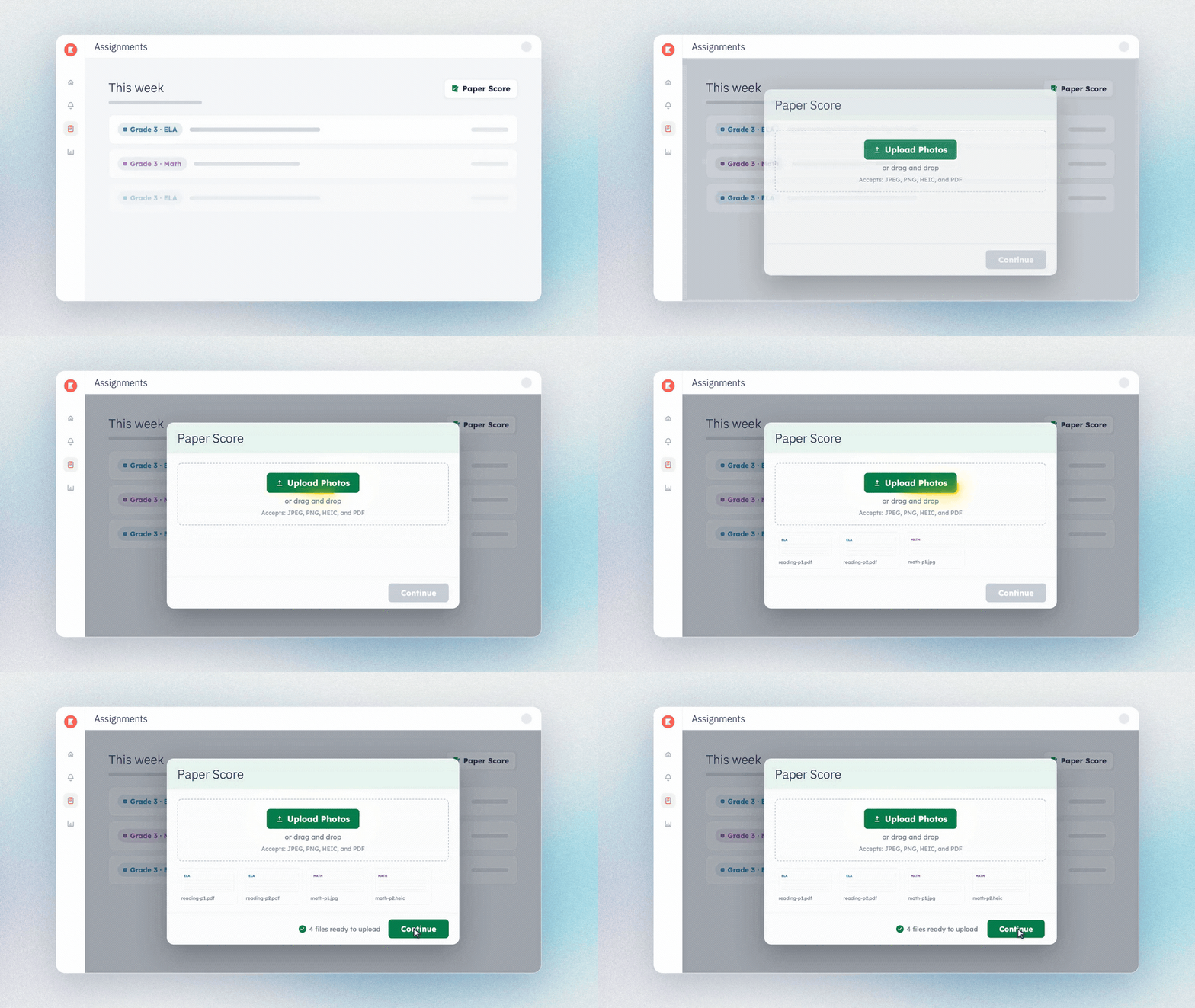
Upload the stack, once
Photograph the completed pages and upload them together. Kiddom sorts each page to the right student and assignment, and hands back anything that came in unnamed for you to place.
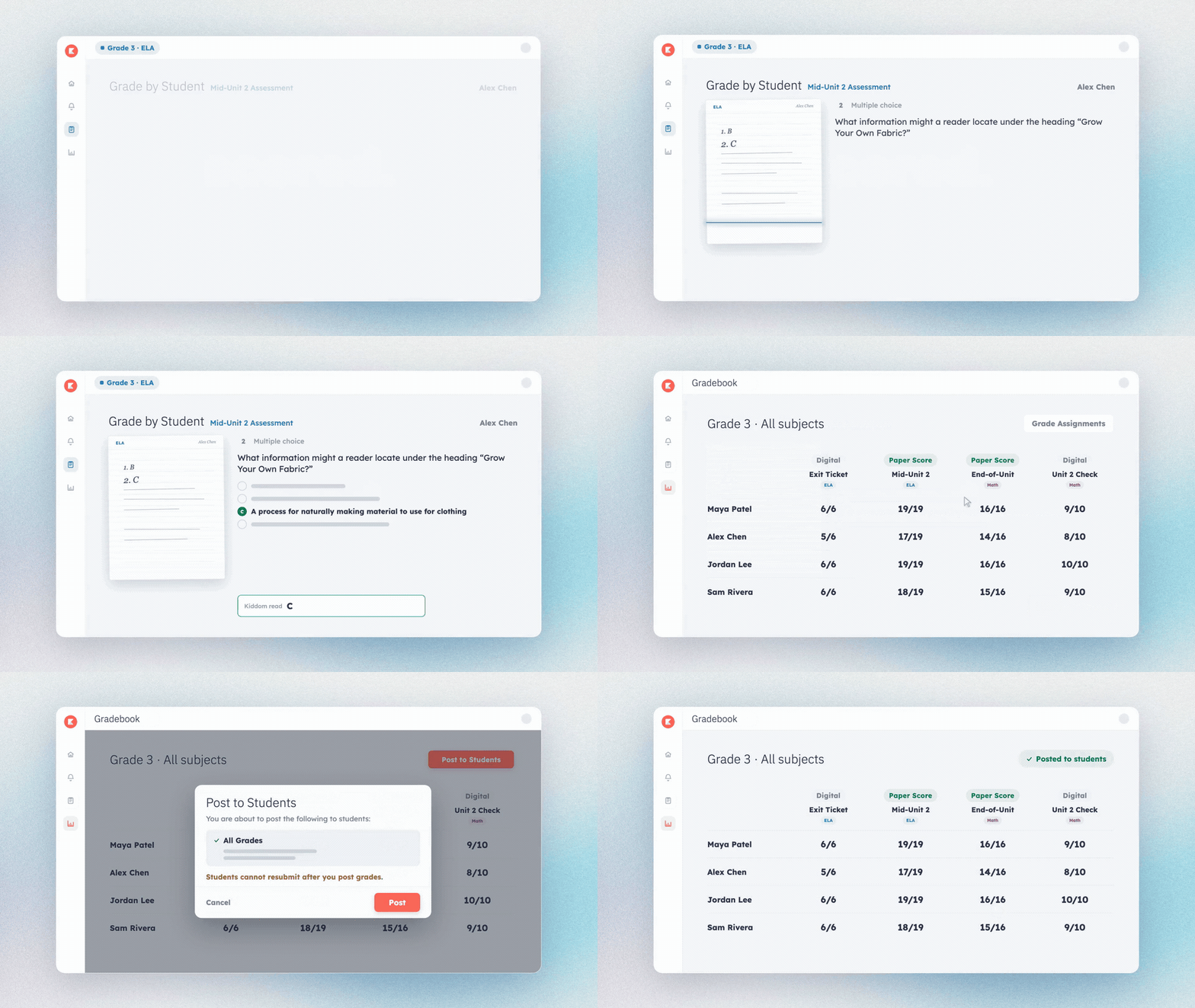
Read it, then confirm it
Every score appears beside the page it came from, so you can see what was read before anything is posted. Adjust what needs adjusting. Nothing reaches a student without your sign-off.
Get into the details.
Frequently Asked Questions
How does Paper Score work?
Print a Kiddom activity and teach the lesson. When students finish, photograph the completed pages with a school-approved phone or tablet, a classroom document camera, or a scanner, then upload the images in Kiddom. Learning Intelligence Technology reads student answers and scores the supported question types. Before posting any grades, you confirm how each page was matched to a student, review the scoring next to the scanned page, and submit when it looks right.
What student work can I scan?
Paper Score works with printed Kiddom curriculum materials, including ELA and Math worksheets and workbook pages. If it was printed from Kiddom, it works. Teacher-modified and personalized worksheets are not supported in the current version. Scanned pages stay inside Kiddom within each graded assignment, one click away, so the original student work is there when a family or an administrator asks to see it.
What happens to a question that cannot be auto-graded?
Supported question types include multiple choice, fill-in-the-blank, and numeric. Open-response questions are pulled into the assignment for you to score. You see the student's scanned answer beside the question, add your score, and submit. Anything the system is unsure about is flagged as needs review rather than guessed at. No question gets left behind, and no grade appears without your sign-off.
