Kiddom
September 14, 2026


You are eight minutes into independent work, walking the room, and you see it.
Three students compared the same pair of fractions three different ways. One drew a number line. One used manipulatives to compare fraction strips. One wrote an equivalent fraction algorithmically. All three are right, and all three are worth the whole class hearing.
That is your real lesson. It is sitting on three desks, not on a screen.
Getting it to the front of the room has always been the hard part. Read the work aloud, and the class loses the drawing. Call a student up and watch a nine-year-old freeze. Walk back to the doc camera, and disrupt lesson flow as you lose instructional time.
Spotlight Mode is designed to capture and project that thinking to the class directly from our purpose-built Kiddom Teacher app, a free iOS and Android app built for live instruction. Pair with a one-time passcode. After that, your phone lets you choose what goes on screen from anywhere in the room.
Let’s go back to that lesson we pictured: Kiddom IM® v.360 Grade 4, Unit 2, Lesson 13: Use Equivalent Fractions to Compare. Activity 1 gives students time in pairs to work with fractions and asks them to choose the greater one in whatever way makes sense to them. The instructional routine for that lesson is the 5 Practices, which tells you to monitor specific approaches as students work.
Now you do. You love Malik, Sofia, and Jonah's thought processes and want to be sure they have a voice; you capture their thinking on paper using the Kiddom Teacher app in the order you want to discuss them. Selecting and sequencing, the second and third of the 5 Practices, now happen with your thumb instead of a clipboard.
When the class regroups, all three papers are already in the lesson. Malik's number line goes up first. "What do you notice about how this person compared them?" Then Sofia's fraction strips. "What is the same? What is different?" By the third paper, the students are the ones drawing the connection, not you.
Malik has not volunteered since October. His number line is on the screen, and nobody knows it is his. He listens to two classmates explain his own thinking back to the room. Then his hand goes up, because one of them got it slightly wrong.
That is what hidden names buy you. Not just privacy, though captured work is retained in accordance with student privacy requirements and visible from the teacher-only app. Confidence. A fourth grader will share unfinished thinking when no name is attached to it, and the discussion stops being about who is right.
| Ideal moment to spotlight | How to facilitate the discourse |
|---|---|
| During the activity, while students are still working | Capture images of the student papers using a mobile device, camera, or other imaging device. Consider asking each student for permission first. |
| At the activity synthesis | Project the most concrete strategy first, then a more efficient one. Ask what is the same and what is different. |
| When a common error surfaces | Project it alongside correct work, never on its own. Ask what this person was thinking and where the thinking stops working. |
| At the lesson synthesis | Project the paper that best answers the day's learning goal. Ask which strategy students would reach for next time, and why. |
| When only a few students are talking | Spotlight a quiet student's correct work. Have the class explain the thinking, then let the author confirm it or add to it. |
You do not have to guess at the right moment. Lesson Presentations carry a Spotlight Opportunity icon wherever Kiddom recommends surfacing student work. When you see the icon, the routine on that slide was built for discourse.
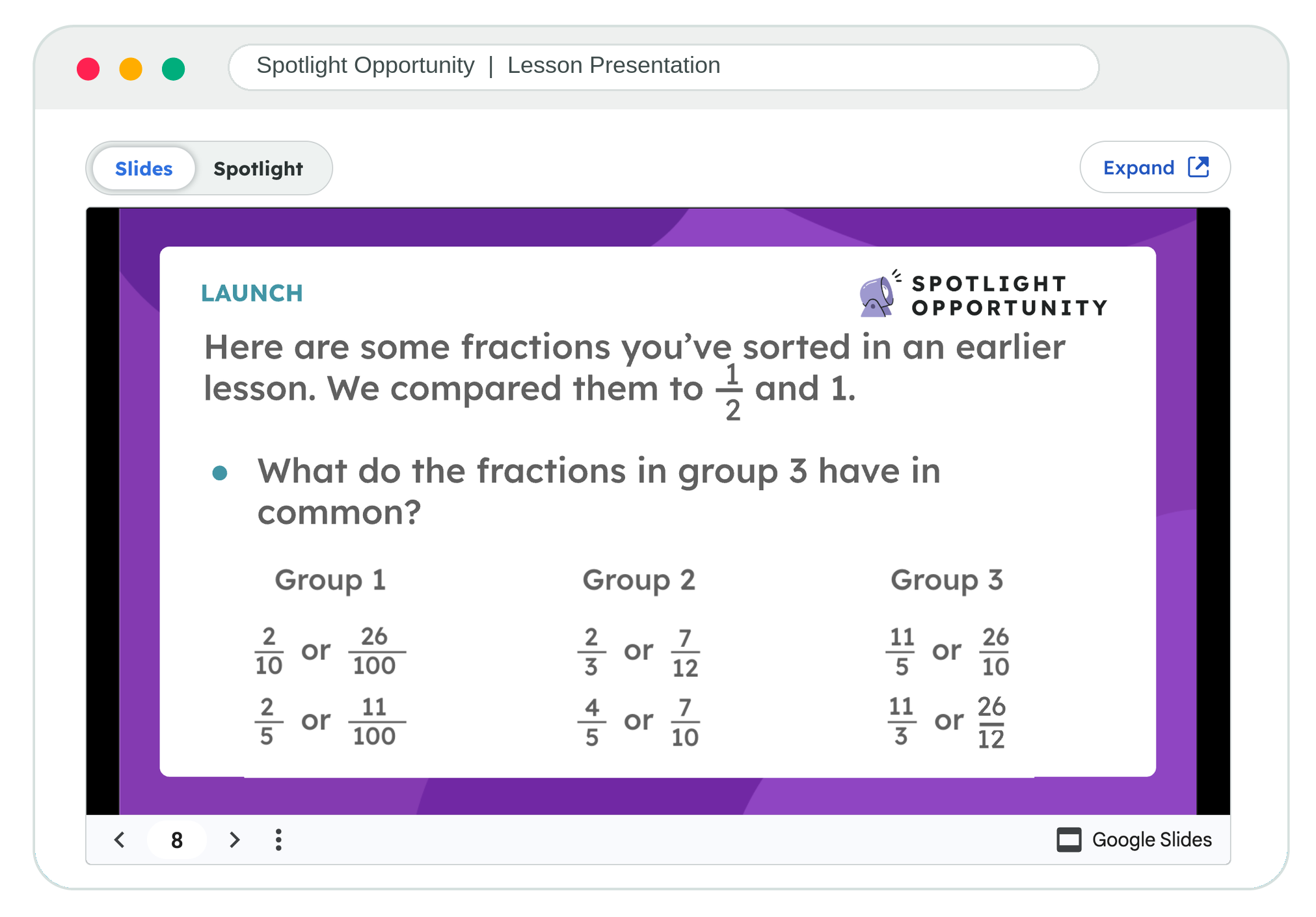
Captured images stay attached to the lesson after class. Reference them any time from the Spotlight toggle for that lesson. Teach Lesson 13 again next year, or sit down with a coach on Friday, and the evidence is still there.
Try it in your next lesson. Learn more at kiddom.co/spotlight.