
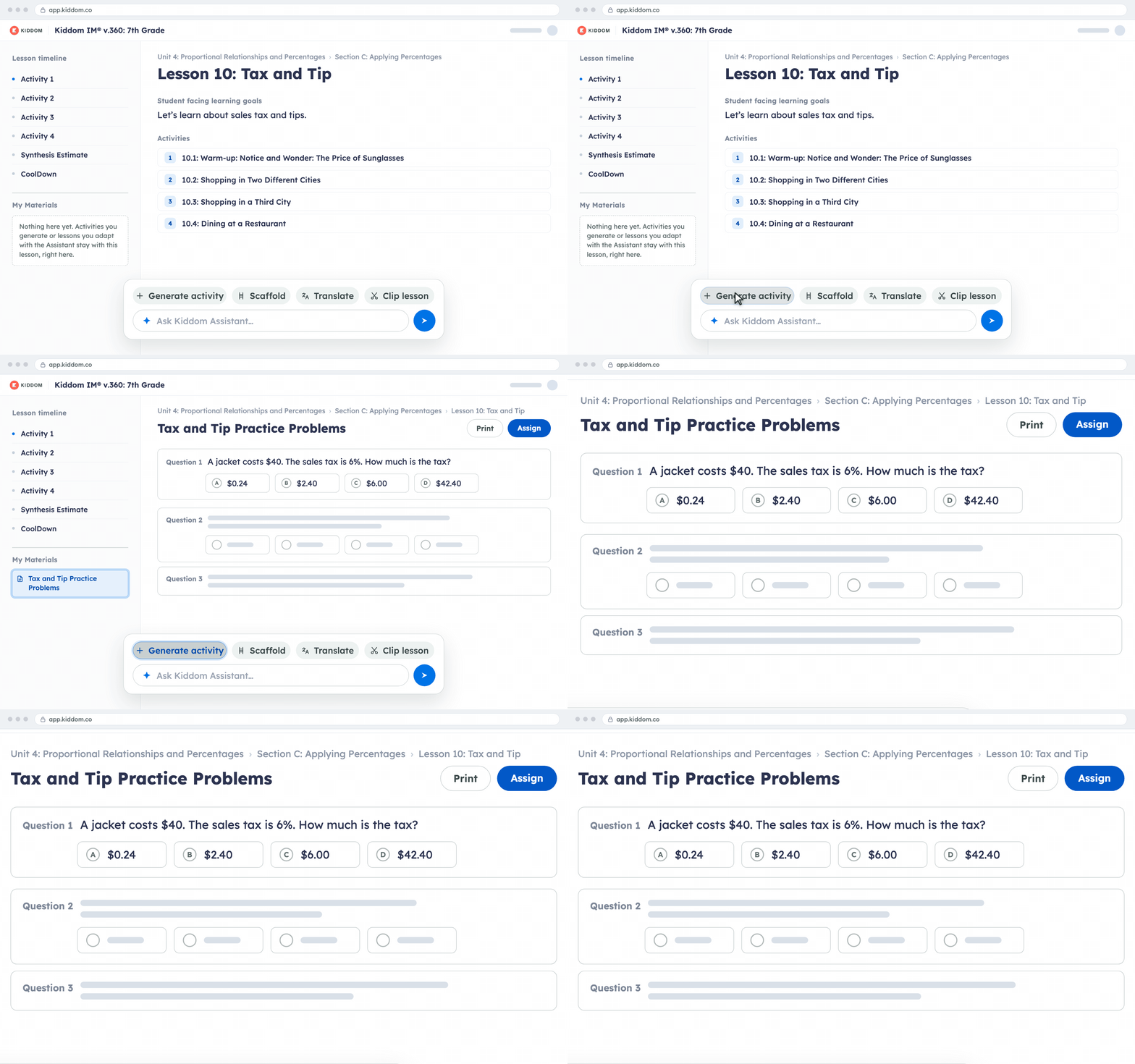
Teachers can generate a quiz or practice set from the lesson, scaffold an activity, translate it, or clip a lesson to fit the time they have. Every draft starts from the lesson, and teachers review it before assigning or printing.
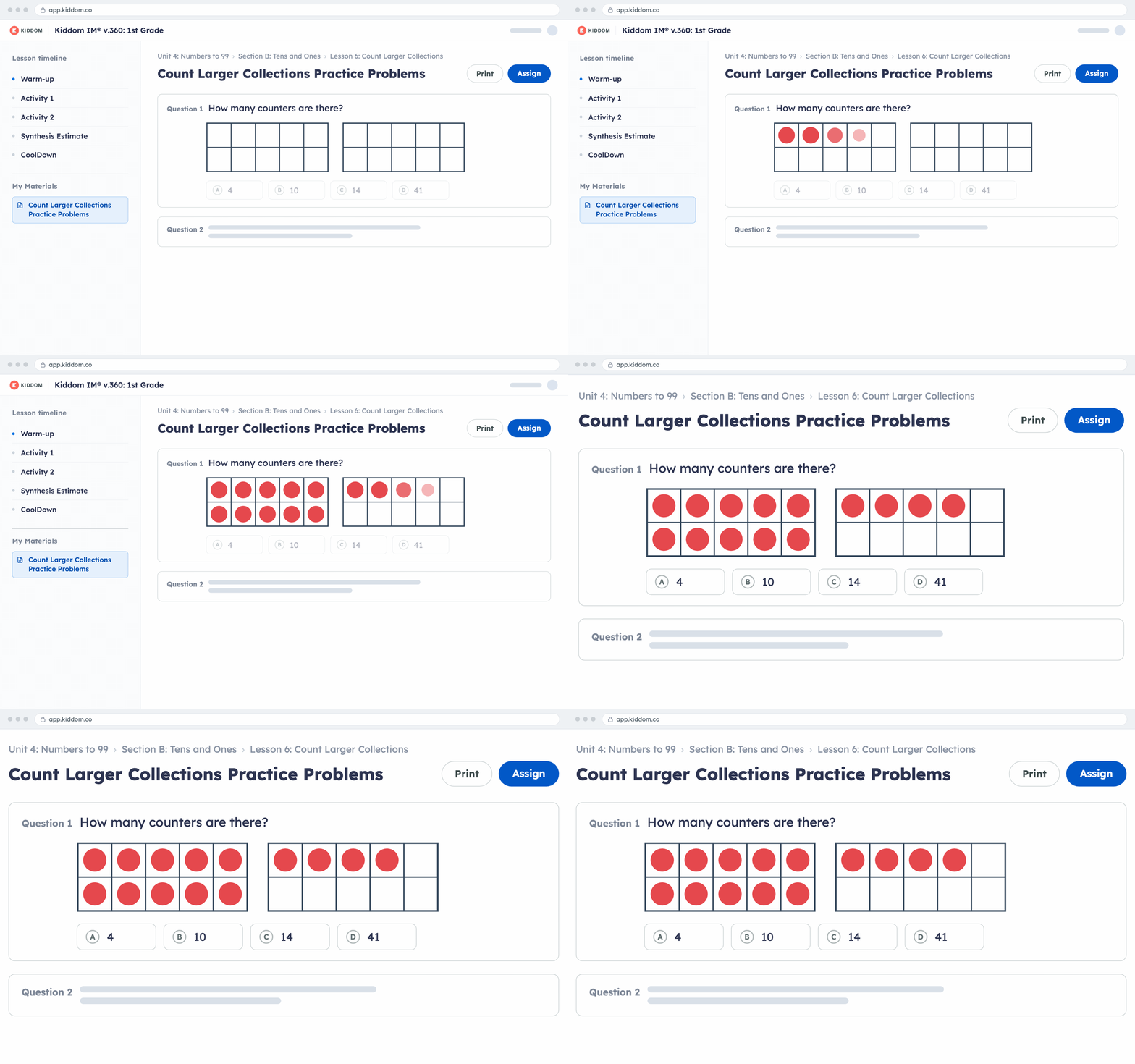
When teachers generate practice for a K-2 math lesson, the activity now uses the same kinds of visual models students see in the lesson, so extra practice looks and feels familiar.
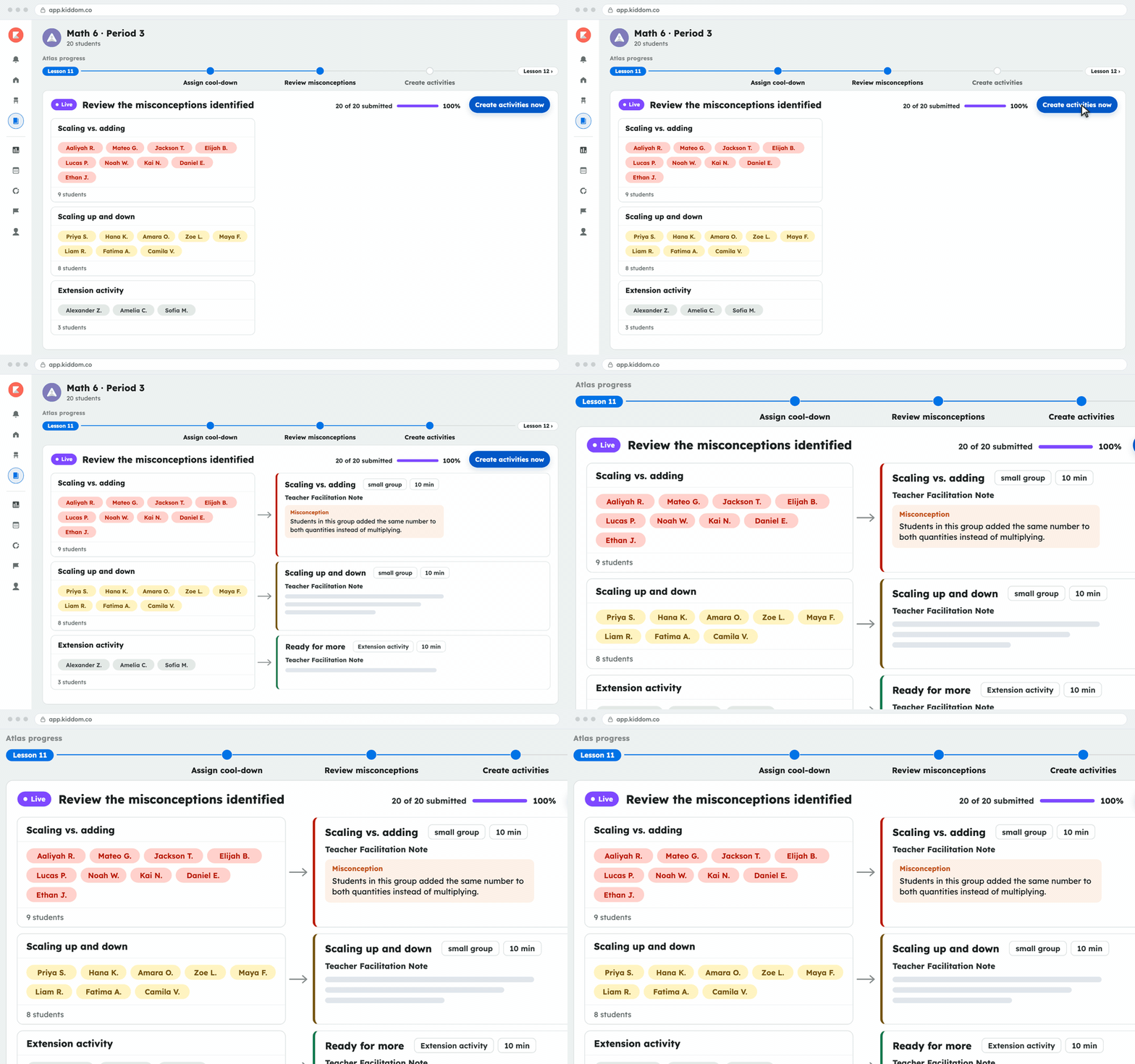
Teachers assign the cool-down and see students group by misconception as they submit. Atlas suggests small-group activities for the next Do Now, and teachers review them and move students as they see fit.
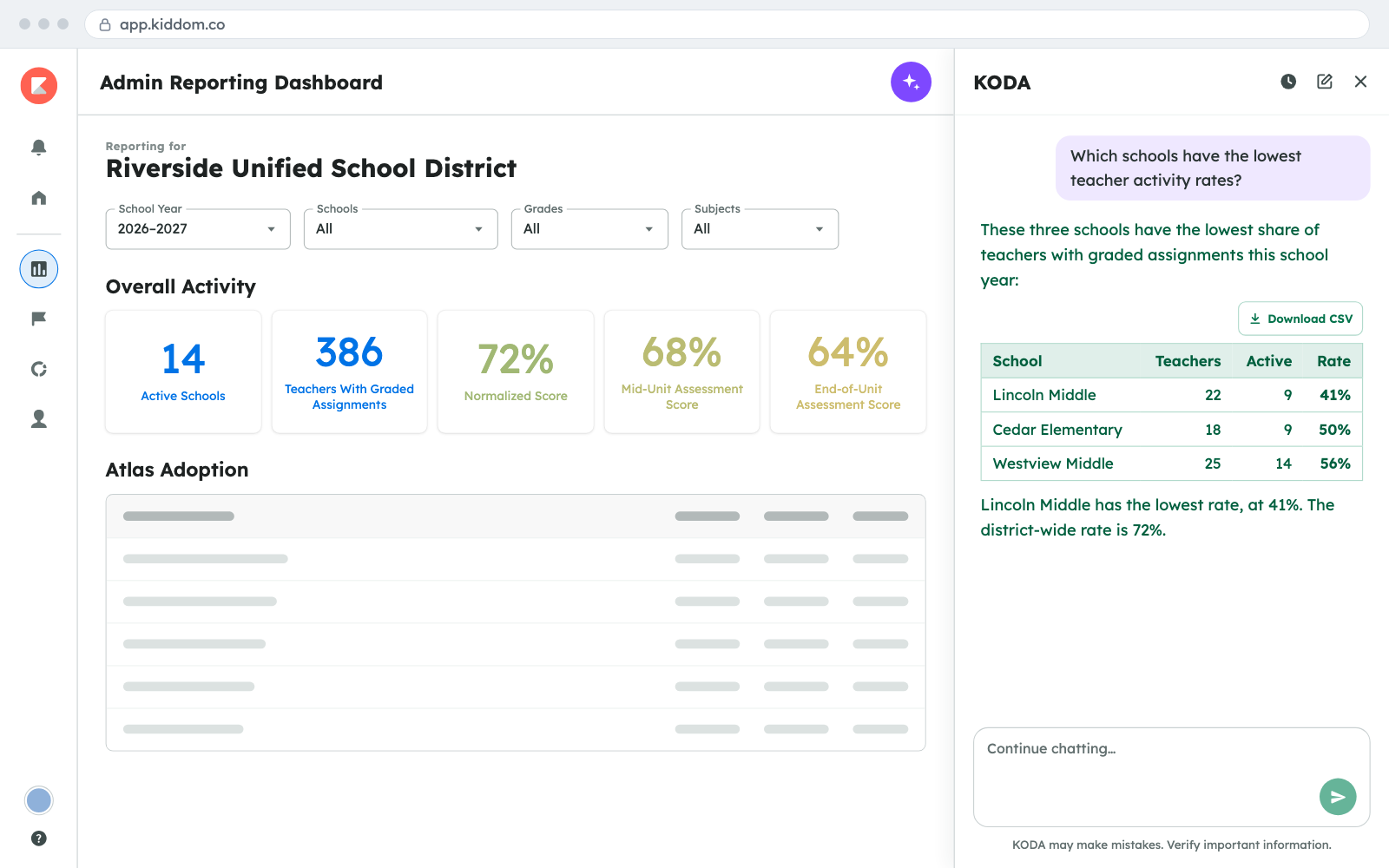
A new admin dashboard shows how schools across the district use Kiddom. Leaders can ask KODA questions about their own data in plain language and get clear, factual answers without building a report.

K-5 teachers upload scans or photos of Kiddom worksheets and workbook pages. Paper Score reads handwritten answers, scores what it can, flags the rest for teacher review, and sends results to the gradebook.

Kiddom Assistant now stays on each supported lesson page with Generate Activity, Scaffold, Translate, and Clip Lesson in view. Teachers ask in plain language, review the draft, and assign or print it from My Materials.
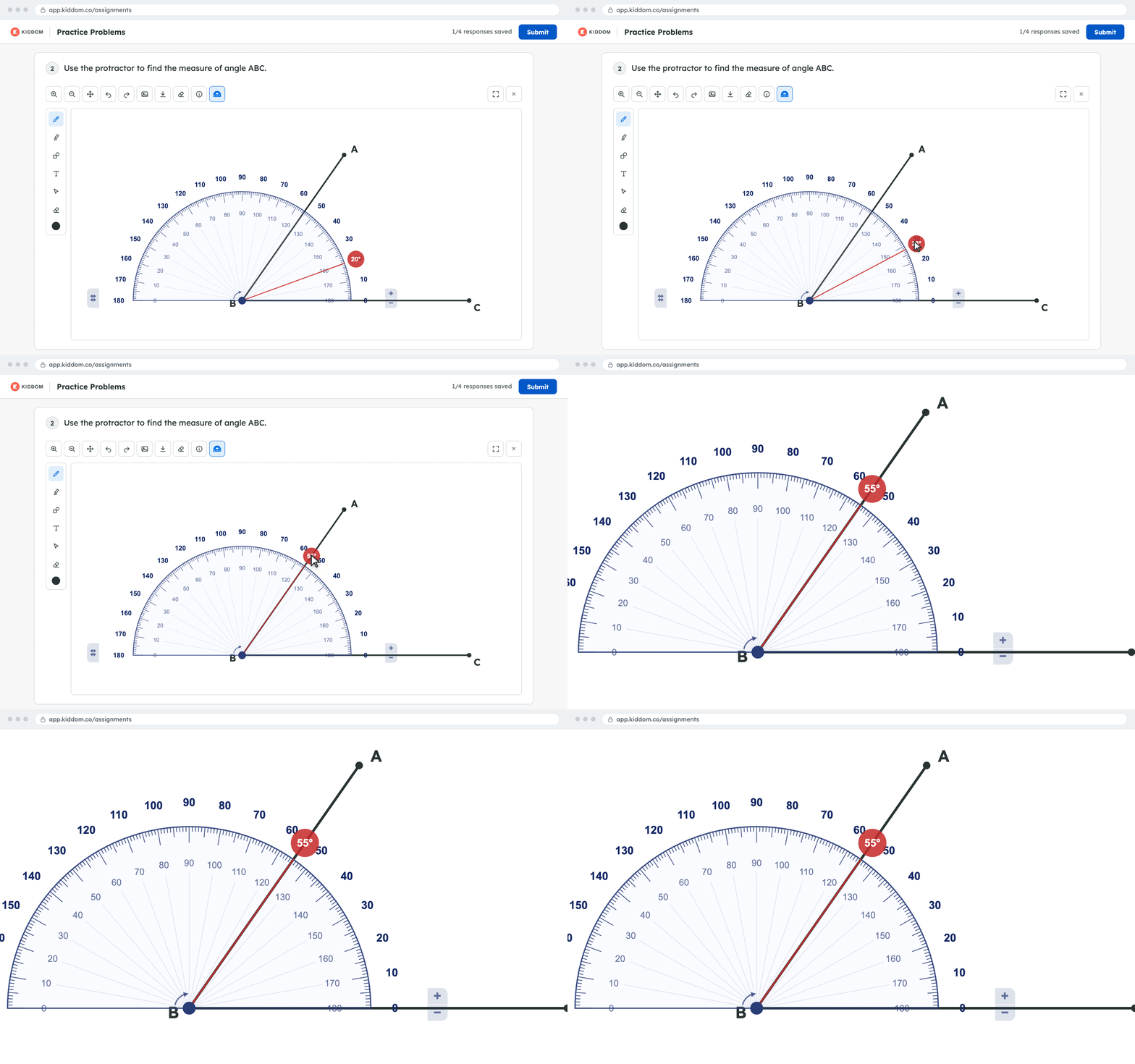
Students draw an angle, then move, rotate, resize, and flip a digital protractor to read the measure in degrees inside the drawing tool. No physical protractor or photo upload needed, and it saves with their work.
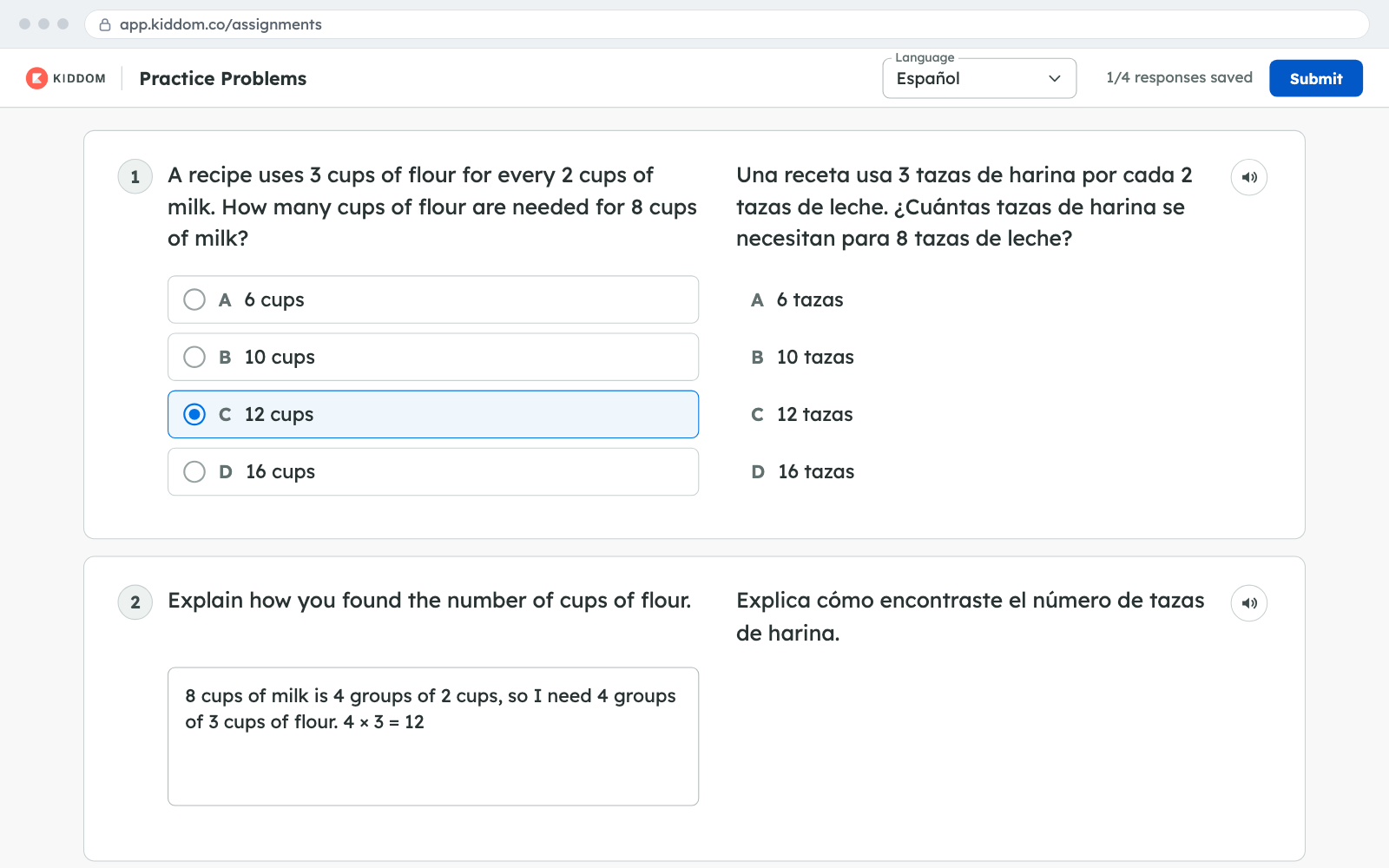
Students can read assignment activities in English and Spanish side by side. Teachers assign and grade from the English course as usual, so there is one gradebook. Available for math courses with a Spanish edition.
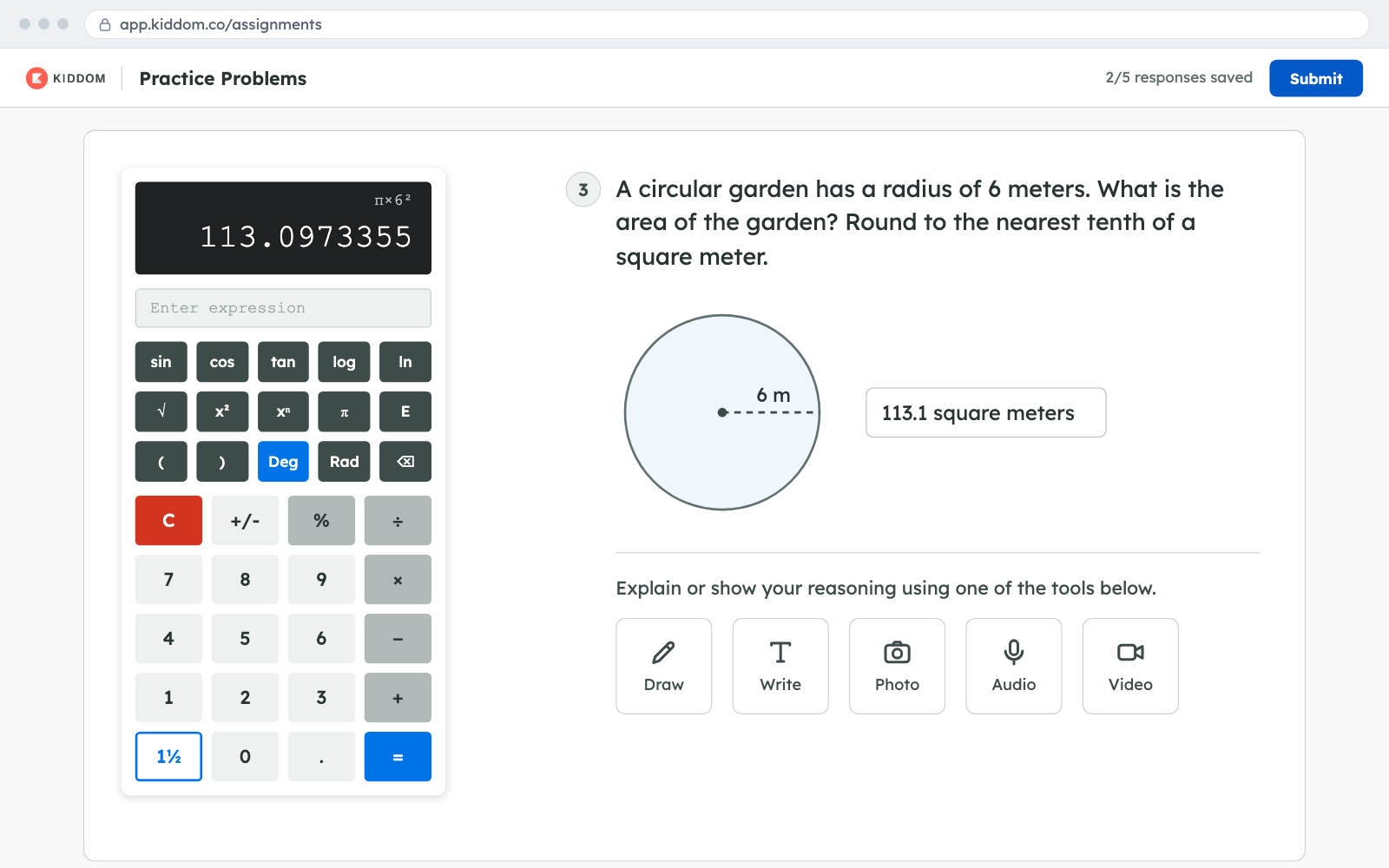
Teachers can give students an onscreen basic or scientific calculator on individual Show Work questions, alongside the existing student tools. The question preview shows which calculator students will see.
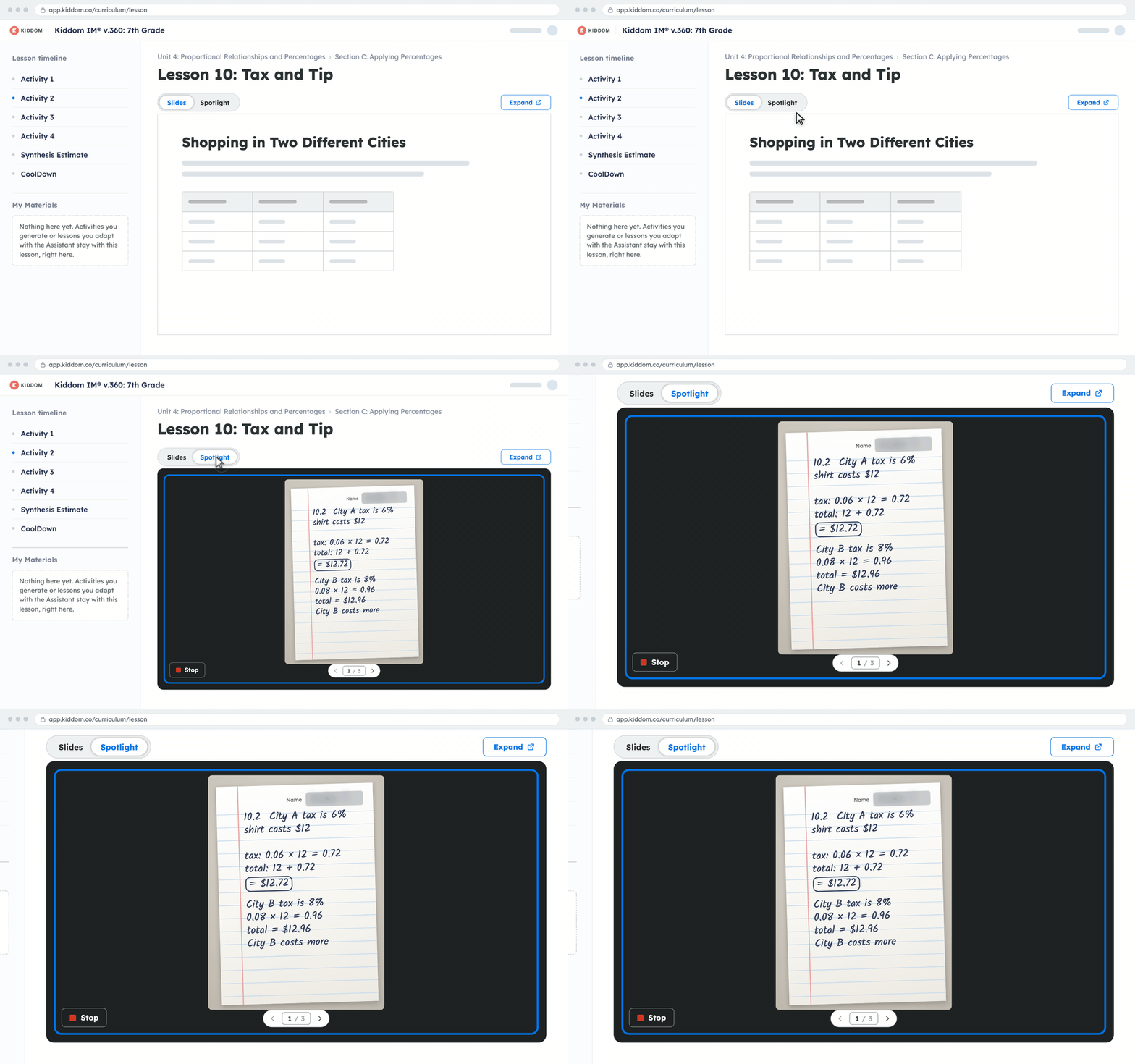
Teachers snap photos of students' paper work with the Kiddom Teacher app and project it in the lesson within seconds. Names are hidden first, so the class can discuss real student thinking without leaving Kiddom.
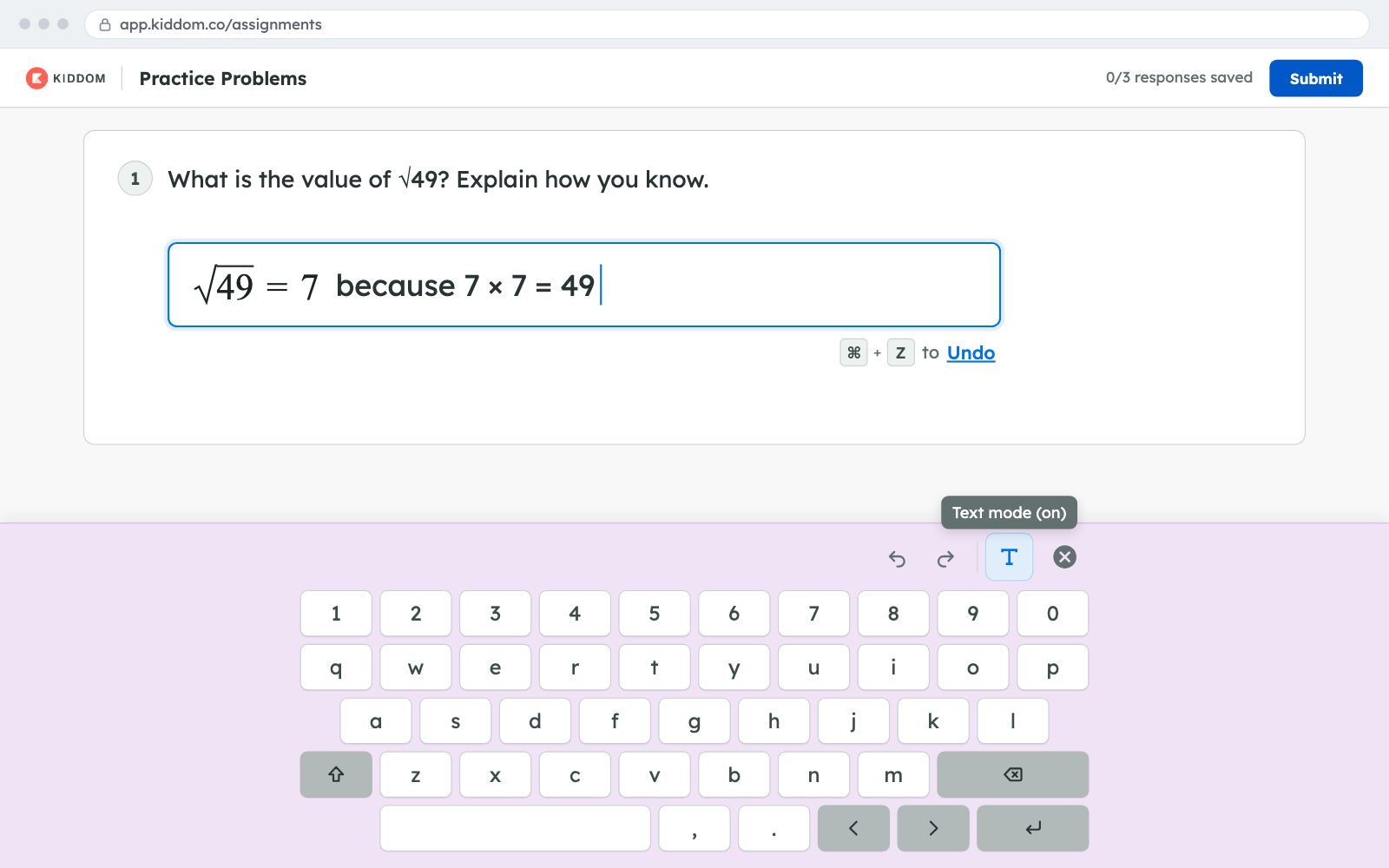
Students can type plain text inside a math answer, and teachers can preview the keyboard students will see. Younger grades no longer get symbol shortcuts, and an undo hint appears whenever a shortcut changes what was typed.
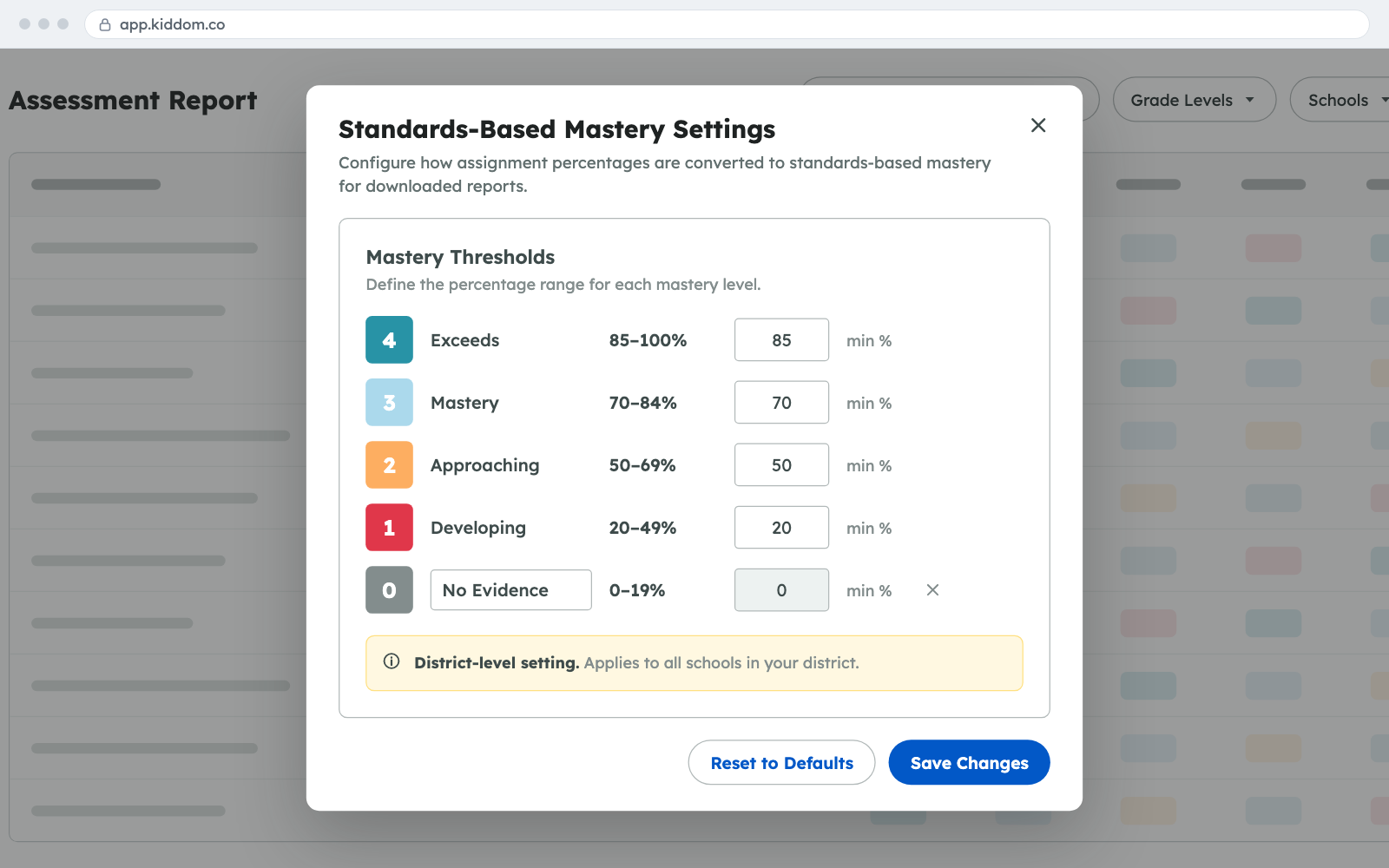
District admins can set the score cutoffs for each standards-based mastery level and add an optional No Evidence level. Assessment reports and the Schools Report use the district's scale, so every school reads mastery the same way.

Kiddom Assistant now supports ELA, math, science, and social studies, and answers questions that span lessons and units in a teacher's curriculum. Chat history stays with teachers, and each answer links to its sources.

Teachers can search their entire curriculum from any page using plain language, standard codes, or Spanish terms. Results show where each item lives and favor the curricula tied to their classes, so planning takes fewer clicks.

Teachers can print or save as PDF a whole lesson or selected sections, plus answer keys, course overviews, section guides, and family support materials, formatted for paper and ready to annotate.
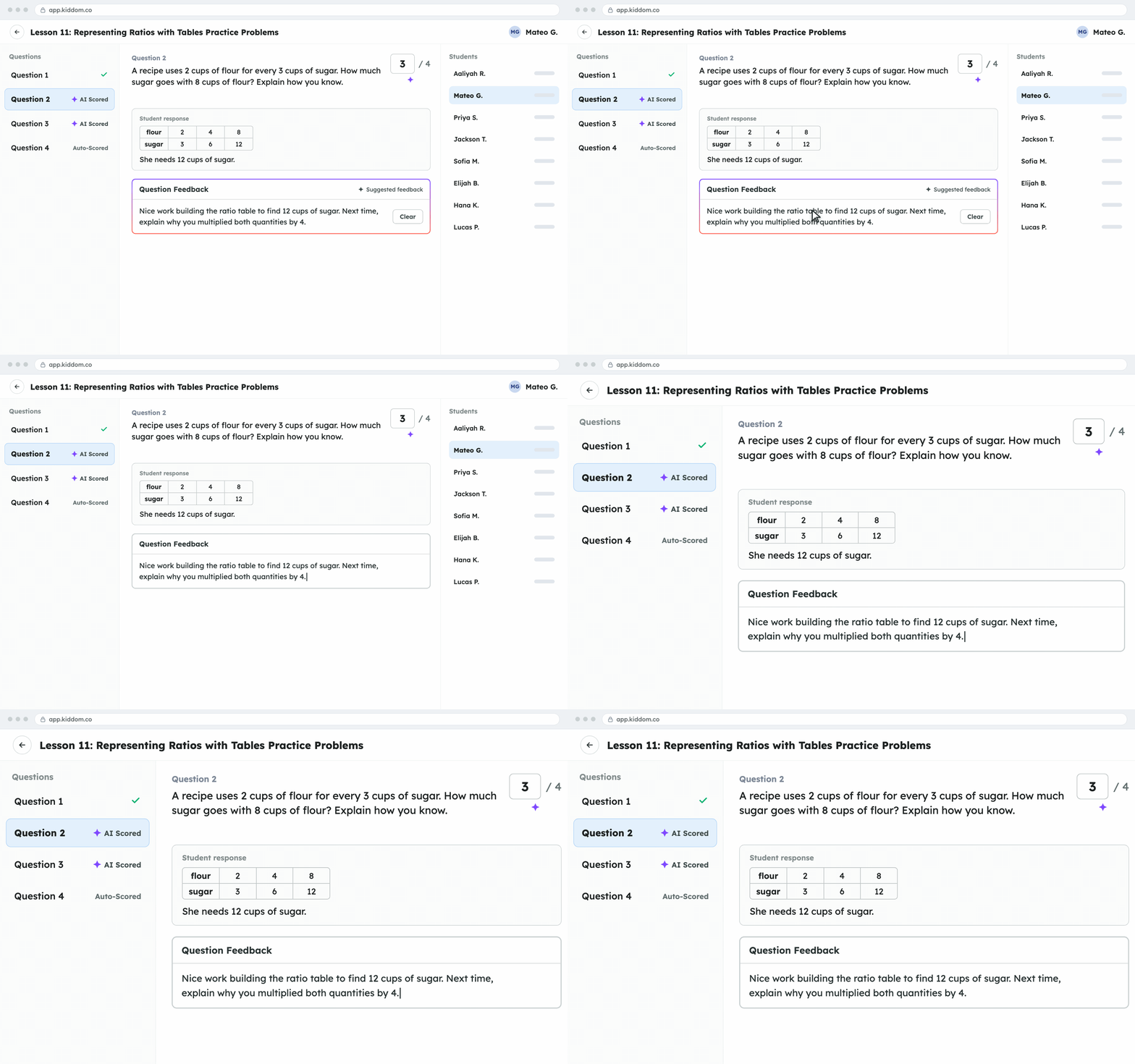
AI scores now count toward totals, carry an AI Scored label, and are ready when teachers open a submission. Cleared feedback stays cleared, so teachers review and adjust student work with fewer extra steps.
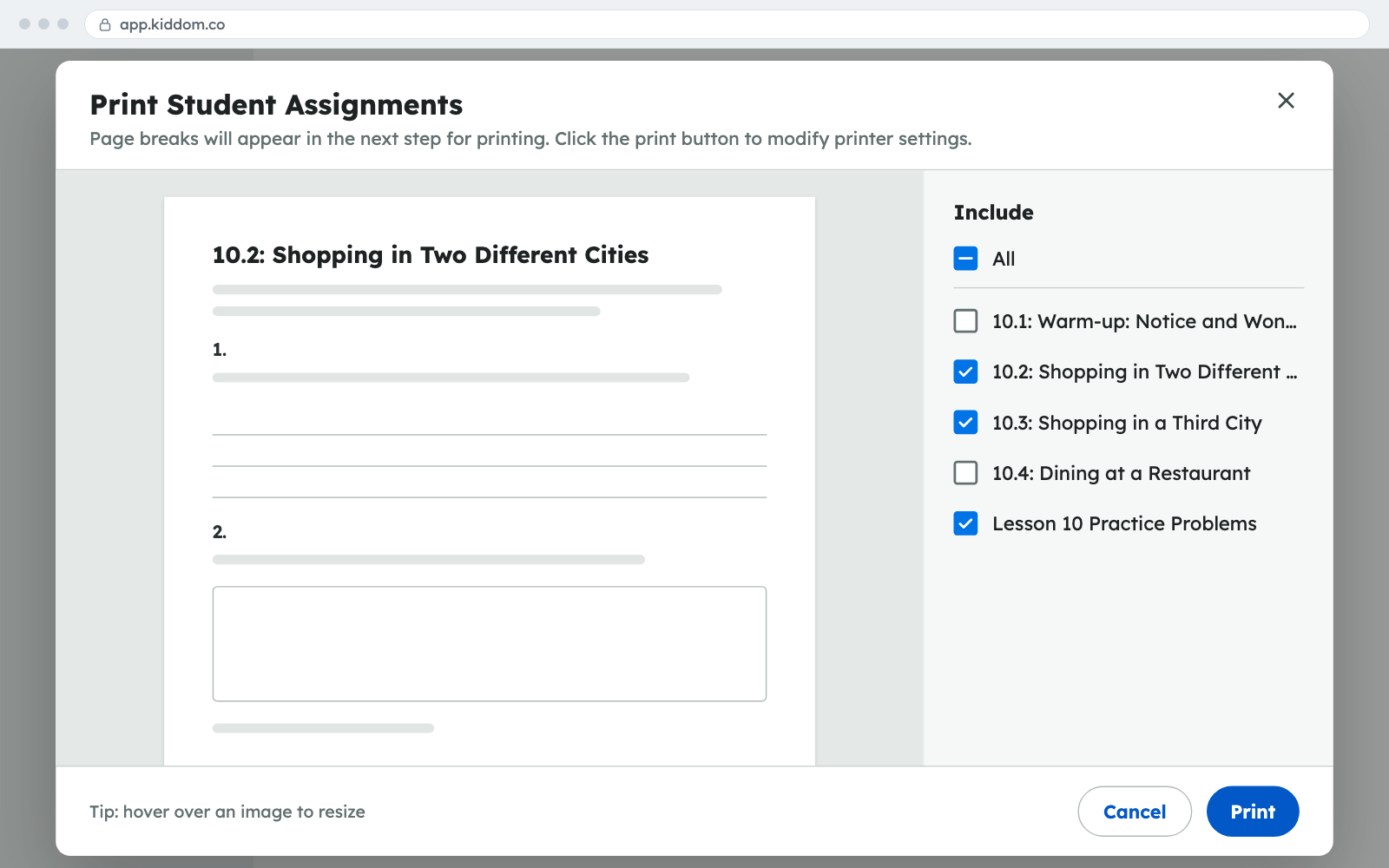
Teachers can print all or selected lesson activities at once, with more question types laid out for paper, fewer blank pages in English and Spanish, and resizable images. Generated practice prints too.
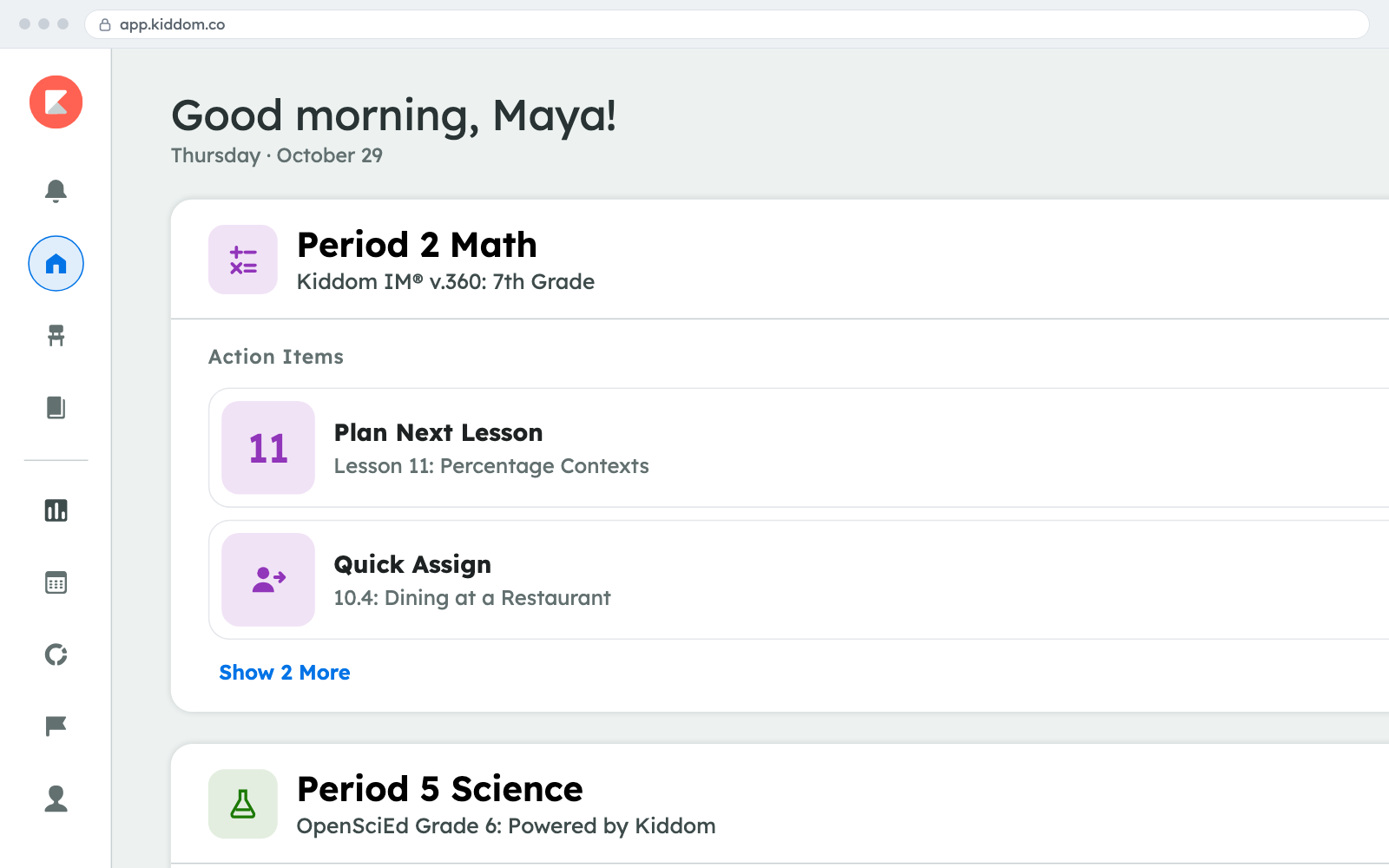
Each active class on the teacher homepage now shows Action Items, such as Plan next lesson or Quick Assign, that change as the class progresses and link straight to the work, so teachers spend less time navigating.