
Kiddom
August 19, 2026

You planned a good lesson. You know it is good. Then twenty-six kids walk in, and a good lesson meets a real classroom.
One student finishes the first problem before you finish reading the second one out loud. Another reads the same word problem four times and still cannot find where to start. A multilingual learner follows the math but not the English instructions. And the period is ten minutes shorter today because of a fire drill.
None of that is in the lesson plan. But it’s a reality teachers know too well in the classroom.
For years, the fix lived outside of your lesson. You opened ChatGPT or a worksheet generator site, typed a prompt, read what came back, fixed what it got wrong, and pasted it into something you could print. Sometimes it helped. Sometimes it invented a strategy your curriculum never taught, or a standard that does not exist. Either way, you were no longer teaching. You were assembling.
Help that already knows your lesson
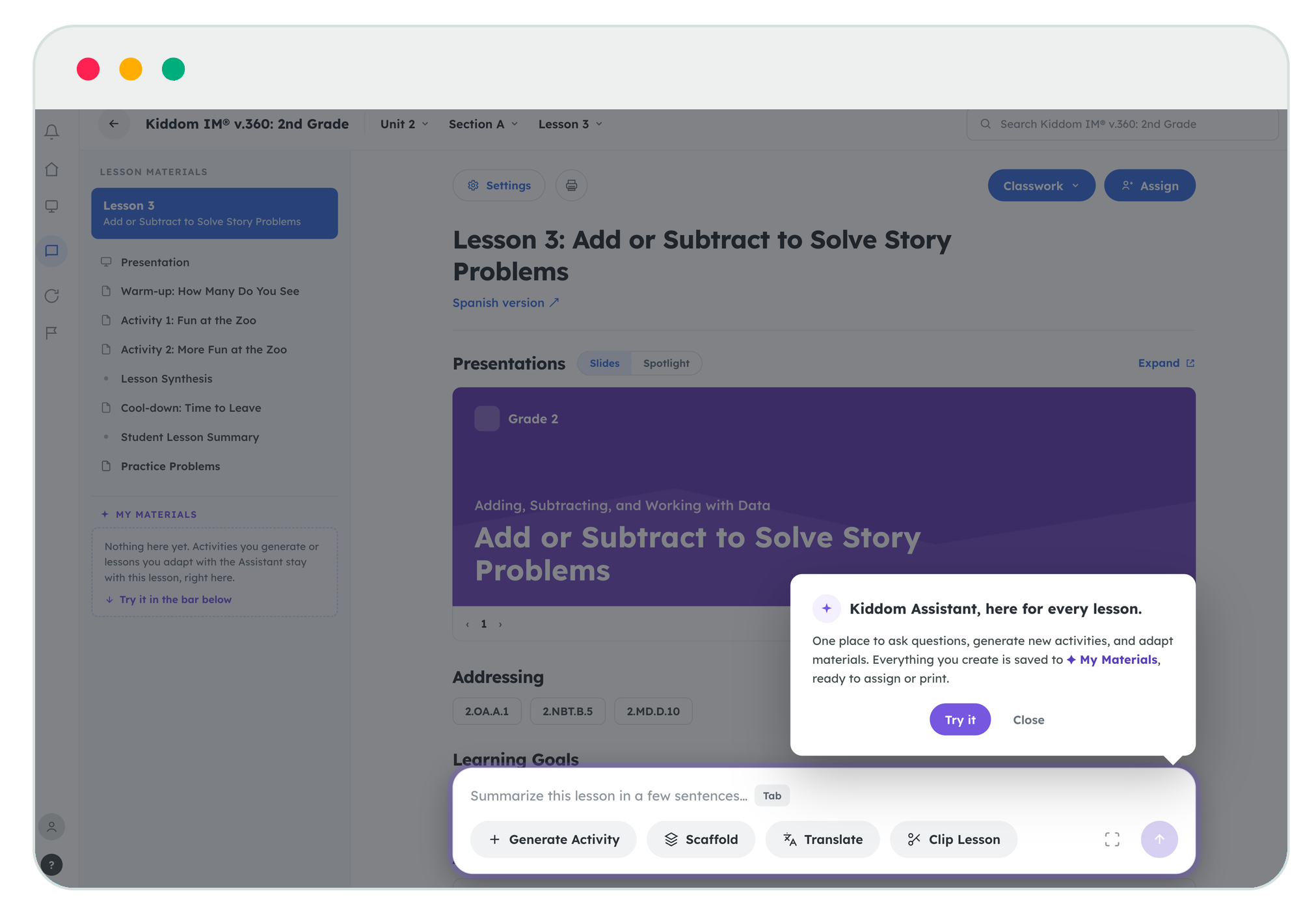
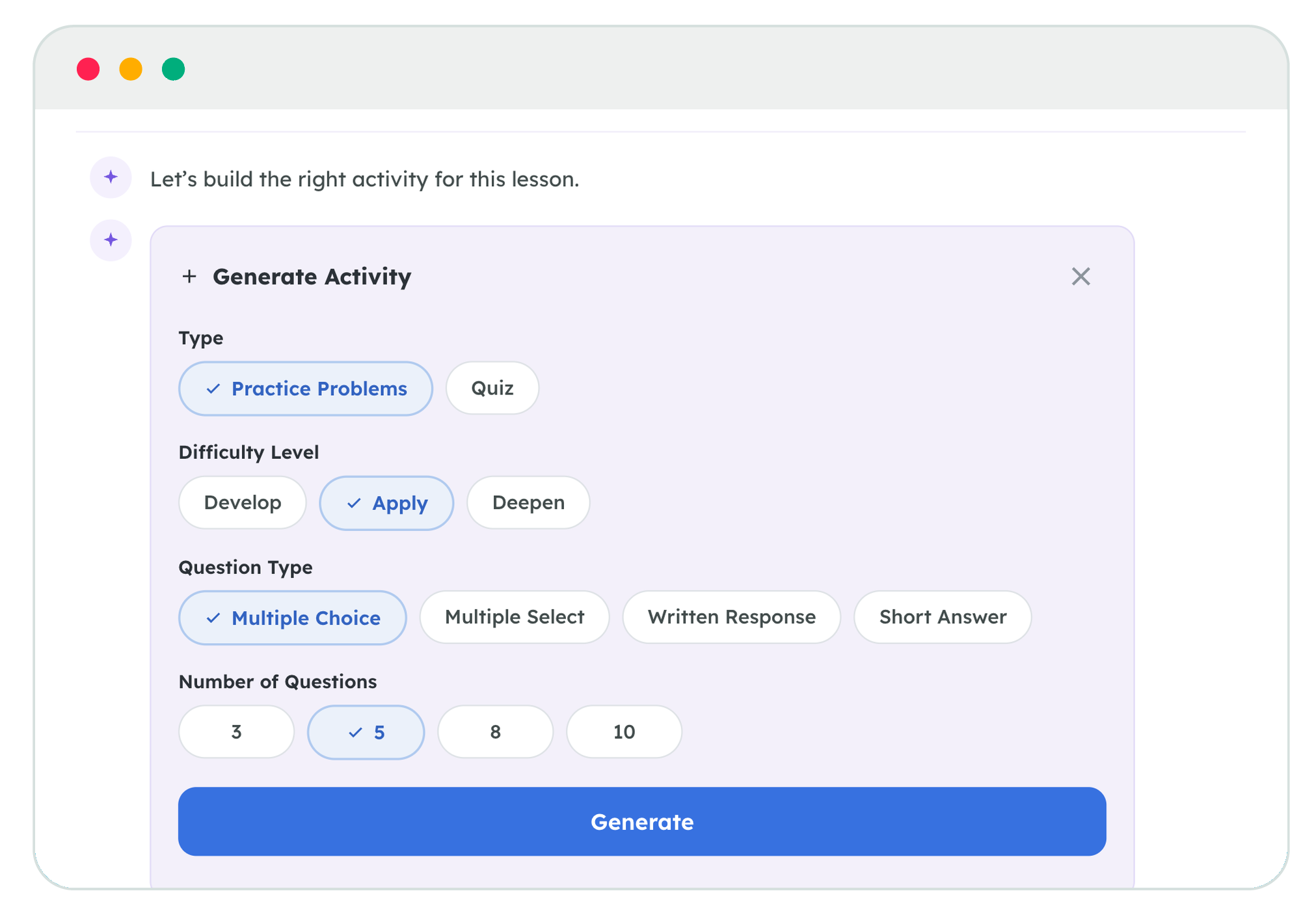
Adaptive Lesson Supports changes that work. It is a set of tools accessible from Kiddom Assistant, grounded exclusively in core curriculum content. While you are in a lesson, it can generate a supplemental practice set or quiz, scaffold the existing content for students who need more learning support, clip the lesson to 30 minutes to fit a shorter period, or translate materials into Spanish, French, Mandarin, Arabic, or Vietnamese. Every output is built from the lesson you are already teaching, anchored to its standards and objectives.
That last part is the whole point. The tools are not generic, starting from a blank box that knows nothing about your lesson yesterday, and they do not go out to the open web when creating your materials. It works from your curriculum and only your curriculum. So the practice set uses the same models and language as the activity your students just did. The scaffold supports the real task, not a generic version of it.
You can even ask for what you want to make in the way you would ask a colleague. Open Kiddom Assistant, describe what you need, and the workflows will appear in context for you to select and generate it. No external tab. No prompt engineering. No copy and paste.
What changes in the ten minutes you get back
Say it is a second-grade lesson on comparing lengths in story problems. Your early finisher needs more to do, so you generate a short practice set on the same skill and assign it with a click or print it out using a Printable. The student stuck on the wording needs a way in, so you scaffold the task and hand it over. The multilingual learner gets the same problem in Spanish. And because the drill ate up ten minutes before you started, you clipped the lesson to the thirty-minute version to ensure you still got the new learning across in the period left.
Every one of those used to be a separate task. Now they happen without leaving the lesson. The materials integrate directly with the tools you already use and are ready to assign, print, or send home, with the option to save them directly to your lesson.
You review everything before it reaches a student. You can edit it, delete it, or change one word you do not like. The judgment stays yours. The busy work of finding, refining, and making it available to students is what goes away.
When to reach for it
Reach for it at the point of need or at the planning desk the night before. A misconception surfaces in the middle of an activity, so you scaffold on the spot. A student races ahead, so you generate practice. A new family joins mid-unit, so you translate. The schedule shifts, so you clip.
The lesson was always good. The missing ingredient was to ensure it actually meets the kids in the room as learning unfolds in real life. At the end of the period, you taught. You did not spend it stitching support together across five browser tabs and hoping the math held up. Now you know it did.
That is the difference. Not a generic chatbot. A smarter lesson that can finally adjust to the classroom in which it is being taught.